You need a HouseLens account to create your own property and import a listing. You can try the example apartment first without signing in. HouseLens is an independent tool; it is not affiliated with Rightmove, and an import is not guaranteed to succeed.
1. Copy the listing URL
Open the Rightmove property page in your browser and copy its full HTTPS address. It should be the individual property listing, rather than a search-results page.
2. Choose “Import from Rightmove”
In HouseLens, select New property, then Import from Rightmove. Paste the URL and start the import. HouseLens looks for the clearest available listing images and floor plans.
3. Review what came across
Open Source material to check the images. If there is more than one plan or the plan covers multiple levels, choose the clearest image before you begin editing.
Check that the plan belongs to the property and that the labels and dimensions are readable. Photos help you understand the rooms but do not replace a floor plan. For a sheet with separate ground- and first-floor drawings, open the editor and use Plan → Split levels so each level has its own image region.
4. Check the layout before relying on it
Use the editor to trace or detect rooms, set a known measurement and review the scale. Imported plans and photos are helpful source material, but the resulting model remains an approximation.
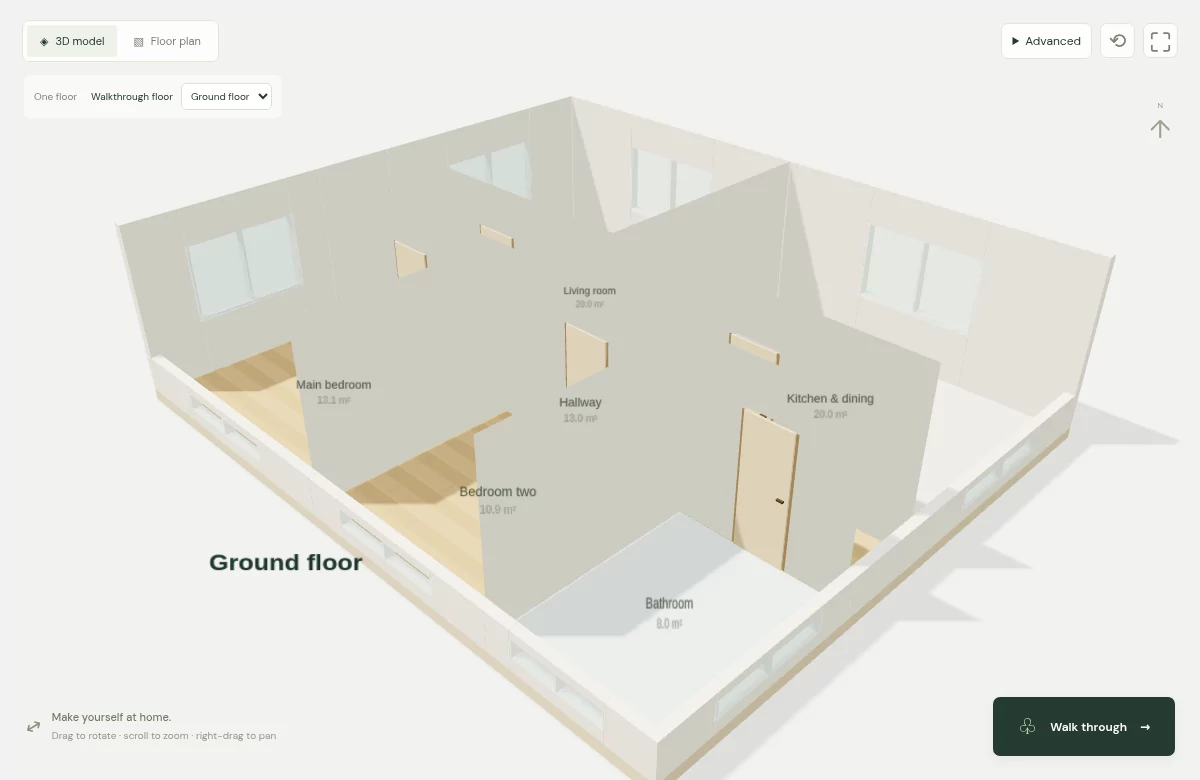
Compare a second room dimension after setting scale. Check shared walls, missing doorways and irregular corners, then choose Build 3D. The floor plan to 3D walkthrough shows each stage with the built-in example.
5. If a listing cannot be imported
Some providers restrict automated access, and not every listing publishes a usable floor plan. Create the property manually instead; you can draw rooms from scratch and add images you have permission to use.
- The page is blocked or times out: use an image you have permission to upload. HouseLens does not bypass provider access restrictions.
- Only photos are available: build the layout from verified measurements using the guide to creating a layout without a plan.
- The floor plan is blurry: look for a clearer source or request one from the agent. Enlarging a thumbnail will not recover missing detail.
- The rooms look wrong: correct the outlines and scale before relying on the 3D view. Automatic detection can mistake furniture symbols or faint walls for room boundaries.
Take the remaining questions to your viewing
Use the model to identify checks: whether a doorway is where you expect, where a radiator sits, or whether your furniture leaves enough space. Follow the furniture-fit guide and confirm critical measurements in person.